


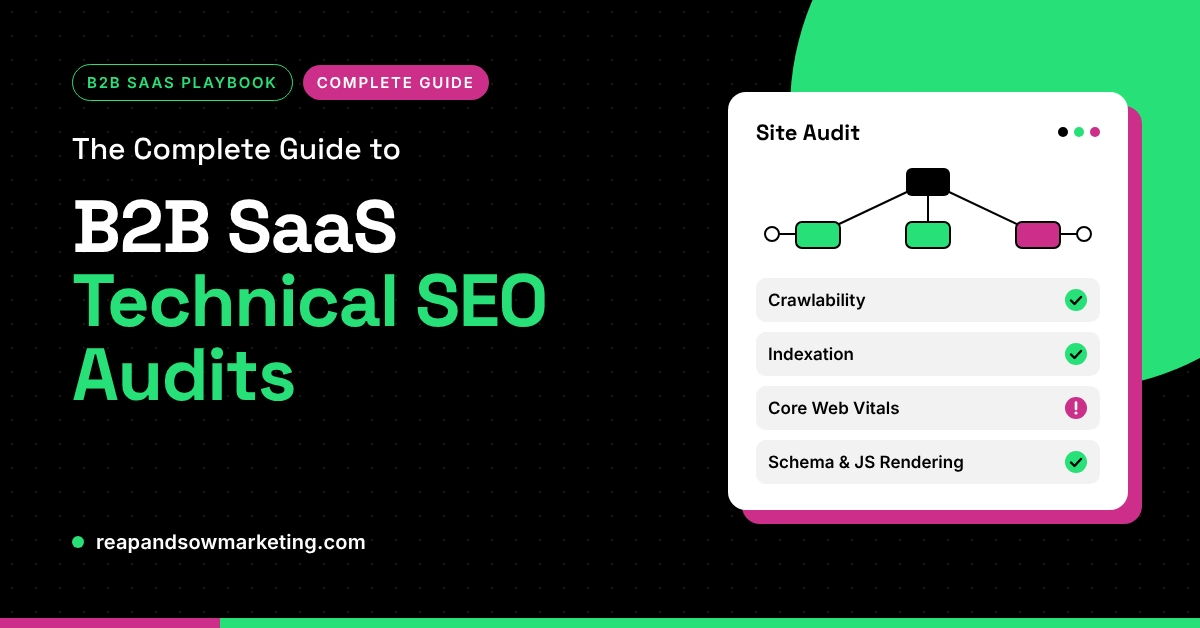
A technical SEO audit can save a B2B SaaS company months of lost organic traffic, especially when a platform migration is on the horizon. Crawlability gaps, indexing errors, and sluggish page performance quietly erode pipeline before anyone spots the problem in a dashboard.
This guide walks you through every phase of a technical SEO audit built specifically for B2B SaaS sites. You will learn how to benchmark your current technical health, prioritize fixes that protect revenue-generating pages, and navigate a HubSpot CMS migration without sacrificing the search equity you have built over years.
Whether you are planning a replatform or simply overdue for a health check, the steps below give you a clear, repeatable process from start to finish.
Key Takeaways: B2B SaaS Technical SEO Audits
- A technical SEO audit identifies crawlability, indexing, and performance issues that silently reduce organic pipeline for SaaS sites.
- Prioritize audit findings by revenue impact, fixing pages that drive demos and trials before addressing cosmetic issues.
- Redirect mapping is the single highest-risk task during a CMS migration and deserves its own dedicated review cycle.
- Reap + Sow Marketing helps B2B SaaS teams audit, remediate, and migrate sites on HubSpot CMS with structured, phased plans.
- Post-audit monitoring in Google Search Console should continue for at least eight weeks to confirm that fixes hold.
What Is a Technical SEO Audit for B2B SaaS?
A technical SEO audit is a structured review of every element that affects how search engines discover, crawl, render, and index your website. For B2B SaaS companies, these elements include your robots.txt configuration, XML sitemaps, internal link architecture, redirect chains, page speed, structured data, and canonical tags.
The goal is not to generate a spreadsheet of errors. The goal is to answer three questions: Can search engines reach your most important pages? Are they indexing the correct versions? And are those pages loading fast enough to satisfy both users and ranking algorithms?
B2B SaaS sites carry unique complexity. Product pages, integration directories, documentation hubs, gated content, and dynamic feature pages create thousands of URLs that need careful management. Without a disciplined audit process, issues compound quietly over time.
Why B2B SaaS Companies Need Regular Technical SEO Audits
SaaS websites change constantly. New feature pages launch, old integrations get deprecated, and marketing teams publish landing pages on tight deadlines. Each change introduces the possibility of broken internal links, orphaned URLs, or conflicting canonical signals.
Search engines allocate a limited crawl budget to every domain. When that budget gets wasted on redirect chains, duplicate content, or low-value parameter URLs, your highest-intent pages may not get crawled frequently enough to reflect recent updates.
Regular audits catch these problems early. A quarterly cadence works well for most mid-market SaaS companies, with a full deep audit before any major site migration or redesign. This rhythm keeps your SEO foundation stable while your product and content teams move fast.
How to Scope a Technical SEO Audit for a SaaS Site
Start by defining which pages matter most to your business. In B2B SaaS, revenue-critical pages typically include your homepage, product and solution pages, pricing page, integration directory, demo request forms, and high-traffic blog content.
Build this list before you open any crawling tool. Every finding you uncover during the audit should be prioritized against this list. A broken canonical tag on your pricing page is urgent. The same issue on a deprecated blog post from four years ago is not.
Next, gather your baseline data. Export your current indexed URLs from Google Search Console, pull organic traffic by page from your analytics platform, and document your existing redirect rules. This baseline becomes your reference point for measuring post-audit improvement.
How to Evaluate Crawlability and Indexing on a B2B SaaS Site
Crawlability is the foundation of every technical audit. If search engines cannot reach a page, nothing else you optimize on that page will matter.
How to Review Your Robots.txt and XML Sitemap
Open your robots.txt file and verify that it is not accidentally blocking important directories. SaaS sites frequently block staging environments, admin panels, or API documentation, but misconfigured rules can also block product pages or blog categories.
Your XML sitemap should include every page you want indexed and exclude everything you do not. Check for outdated URLs, redirect targets listed in the sitemap, and pages returning non-200 status codes. A clean sitemap sends clear signals to search engines about your site’s structure.
How to Identify Orphan Pages and Crawl Depth Issues
Orphan pages are URLs that exist on your site but have no internal links pointing to them. Search engines discover pages by following links, so orphaned content is essentially invisible to crawlers.
Use a crawling tool to compare the URLs discovered through internal links against the URLs in your sitemap and Google Search Console. Any page that appears in your index but not in the crawl has an internal linking gap. For SaaS sites, orphan pages often include old landing pages, deprecated feature announcements, or integration pages that were removed from the navigation.
How to Fix Redirect Chains and Broken Links
Redirect chains occur when one URL redirects to another, which then redirects to a third. Each hop dilutes link equity and slows down crawling. Consolidate every chain so the old URL points directly to its final destination with a single 301.
Broken internal links are equally damaging. They waste crawl budget and create dead ends for both users and search engines. Run a full crawl and fix or remove every link that returns a 404 or 5xx status code.
Pay special attention to links in your main navigation, footer, and sidebar. Those appear on every page and multiply the impact of a single broken target.
How to Audit Site Performance and Core Web Vitals
Page speed is a confirmed ranking factor, and Google’s Core Web Vitals give you a specific set of metrics to measure. The three vitals are Largest Contentful Paint (LCP), Interaction to Next Paint (INP), and Cumulative Layout Shift (CLS).
According to a 2026 study by PageSpeed Matters analyzing over 37,000 sites, page-one results pass Core Web Vitals 47.6% of the time compared to 44.2% on page two. Among the most competitive sites, the gap widens to 7.6 percentage points. Loading performance is the most common failure point, with 67% of failing pages falling short on LCP.
For B2B SaaS sites, common performance bottlenecks include unoptimized hero images, render-blocking JavaScript from third-party analytics or chat widgets, and heavy CSS frameworks. Start with your highest-traffic templates, product pages and blog layouts, and work outward from there.
How to Improve LCP on SaaS Marketing Pages
LCP measures how quickly the largest visible element loads in the viewport. On most SaaS marketing pages, that element is a hero image or a large heading block with a background image.
Compress images to modern formats like WebP or AVIF. Preload the hero image in your HTML head so the browser starts fetching it immediately. Remove render-blocking scripts that delay the initial paint, and consider lazy-loading images below the fold so they do not compete for bandwidth during the critical first load.
How to Reduce CLS and INP on Dynamic SaaS Pages
CLS measures unexpected layout shifts during page load. SaaS sites with dynamic pricing toggles, embedded demo videos, or late-loading banner elements are especially prone to high CLS scores. Set explicit width and height attributes on every media element, and reserve space for ad slots or dynamic content blocks before they render.
INP measures the delay between a user interaction and the browser’s visual response. Heavy JavaScript execution is the usual cause. Audit your third-party scripts, defer non-critical tracking tags, and break long tasks into smaller chunks so the main thread stays responsive.
How to Audit On-Page Technical Elements for SaaS SEO
Beyond crawlability and speed, several on-page technical elements need regular attention during an audit.
How to Review Canonical Tags and Duplicate Content
Canonical tags tell search engines which version of a page is the original. SaaS sites with filtered views, session parameters, or A/B testing platforms often generate multiple URLs for the same content. Verify that every indexable page has a self-referencing canonical tag, and that duplicate or parameter-driven URLs point their canonical to the primary version.
Check for conflicting signals. If a page’s canonical tag points to URL A but your internal links all point to URL B, search engines receive mixed messages. Align your canonical tags, internal links, and sitemap entries so they all reference the same URL.
How to Implement Structured Data for SaaS Pages
Structured data helps search engines and AI answer tools understand the context of your content. For B2B SaaS sites, the most valuable schema types include Organization, FAQPage, Article, BreadcrumbList, and SoftwareApplication.
Implement Organization schema on your homepage with your official company name, logo, and social profiles. Add FAQPage markup to any page with a question-and-answer section. Use Article schema on blog posts with the correct datePublished and dateModified values. These markup types make your content more extractable for both traditional featured snippets and AI-generated answers.
How to Audit Meta Tags and Heading Structure
Every indexable page should have a unique title tag under 60 characters and a meta description between 130 and 155 characters. Duplicate title tags across product pages are a common SaaS issue, especially when multiple features share similar naming conventions.
Your heading structure should follow a logical hierarchy. Use a single H1 per page that matches the page’s primary topic. Use H2s for major sections and H3s for subsections. Avoid skipping heading levels, because a clean hierarchy helps both accessibility tools and search engine crawlers understand your content structure.
How to Prepare for a HubSpot CMS Migration Without Losing SEO
Migrating a B2B SaaS site to HubSpot CMS can consolidate your marketing stack, simplify content editing, and unlock built-in analytics. But without careful SEO planning, a migration can erase months or years of organic growth in a matter of days.
The core principle is simple: every URL that earned traffic or backlinks on your old site must resolve, with a single 301 redirect, to its equivalent page on the new site. When traffic drops after a CMS move, the cause is almost always URL paths that changed without proper redirects.
How to Build a Redirect Map Before Migration
Start by crawling your existing site and exporting every URL. Cross-reference that list with your Google Search Console data and analytics to identify which pages carry the most organic value. Every one of those URLs needs a mapped destination on the new site.
Create a spreadsheet with columns for the old URL, the new URL, the redirect type (301 in nearly every case), and the page’s organic traffic. Sort by traffic volume so your highest-value redirects get reviewed first. Test every redirect in staging before launch day.
Reap + Sow Marketing builds these migration plans with phased rollouts and pre-launch verification steps to protect your organic investment.
What to Audit in a HubSpot CMS Staging Environment
Before pushing your new site live, crawl the staging environment with the same tool you used on the production site. Compare the two crawls side by side and look for missing pages, broken internal links, changed URL structures, and missing meta tags.
Verify that your robots.txt on the staging domain blocks search engines from indexing staging content. Check that all canonical tags reference the production domain, not the staging URL.
Confirm that your HubSpot portal configuration includes your sitemap, tracking code, and any custom modules your templates require.
What to Monitor After a HubSpot CMS Launch
The first eight weeks after launch are critical. Monitor Google Search Console daily for indexing errors, crawl anomalies, and coverage drops. Watch for pages that were indexed on the old site but have not yet been re-indexed on the new one.
Re-crawl your redirect map weekly to catch any redirects that may have broken during post-launch updates. Track your Core Web Vitals in the field using Chrome UX Report data to confirm that the new HubSpot templates perform at least as well as the old ones. If you see ranking drops on specific pages, check whether the content, internal links, or structured data changed during the migration.
How to Prioritize Technical SEO Fixes After an Audit
A thorough audit will produce dozens, sometimes hundreds, of findings. Fixing everything at once is unrealistic for most SaaS teams. You need a prioritization framework that connects each finding to business impact.
How to Use a Severity and Impact Matrix
Categorize each finding along two axes: severity (how badly it hurts SEO) and impact (how much traffic or revenue the affected page generates). A critical crawlability issue on your demo request page is a top priority. A minor meta description issue on a low-traffic blog post can wait.
Group your fixes into three tiers. Tier one includes anything that blocks crawling or indexing of revenue-critical pages. Tier two covers performance issues and on-page errors on high-traffic content. Tier three handles cleanup tasks like consolidating redirect chains on legacy URLs or adding structured data to older blog posts.
How to Create a Technical SEO Remediation Roadmap
Translate your prioritized findings into a sprint-compatible roadmap. Each item should have an owner, a deadline, and a clear definition of done. Technical SEO fixes often require collaboration between marketing, development, and DevOps, so document dependencies and approval steps.
Schedule a brief check-in every two weeks to review progress and re-prioritize if new issues emerge. Reap + Sow Marketing structures inbound marketing engagements around these cadences, so audit findings turn into completed fixes rather than a report that collects dust.
How Technical SEO Audits Support AI Search Visibility
AI-powered answer engines like Google AI Overviews, ChatGPT, and Perplexity pull information from pages they can crawl, parse, and trust. A technically healthy site gives you a better chance of being cited in those AI-generated answers.
Structured data, clean heading hierarchies, and fast-loading pages all contribute to how easily an AI model can extract and attribute information from your content. If your pages are difficult to crawl, slow to load, or missing schema markup, AI systems are less likely to surface them as sources.
Reap + Sow Marketing pairs technical audits with answer engine optimization strategies, so the same fixes that improve your Google rankings also increase your visibility in AI-driven search experiences. This dual benefit makes a technical audit one of the highest-ROI activities a B2B SaaS marketing team can invest in.
Common Technical SEO Mistakes B2B SaaS Companies Make
Certain technical issues appear on B2B SaaS sites more frequently than others. Recognizing these patterns helps you audit more efficiently and avoid repeating mistakes.
Blocking JavaScript-Rendered Content from Crawlers
SaaS companies love interactive product tours, dynamic pricing calculators, and JavaScript-heavy feature demos. If those elements render content that search engines need to see, confirm that Googlebot can execute the JavaScript and access the final rendered HTML. Use Google’s URL Inspection tool to compare the raw HTML with the rendered version.
Ignoring International and Hreflang Configuration
B2B SaaS companies that serve multiple countries often maintain separate language or regional versions of their site. Without correct hreflang tags, search engines may treat these as duplicate content or serve the wrong version to users in a given market. Audit your hreflang implementation to confirm that every language variant points to its counterparts and that no self-referencing tags are missing.
Letting Staging or Development Environments Get Indexed
A staging site that accidentally gets indexed can cause duplicate content issues that suppress your production pages. Always password-protect or noindex staging environments, and verify the setting after every deployment cycle.
Tools You Need for a B2B SaaS Technical SEO Audit
You do not need an expensive enterprise suite to run a thorough audit. A focused toolkit of free and mid-tier tools covers every audit phase.
Google Search Console is your primary source for indexing data, crawl errors, and Core Web Vitals field metrics. A desktop crawler like Screaming Frog or Sitebulb provides the detailed URL-level data you need for redirect mapping, internal link analysis, and on-page element checks.
Google PageSpeed Insights gives you lab and field performance data for individual URLs. For structured data validation, use Google’s Rich Results Test or Schema Markup Validator. And for website performance optimization, browser DevTools network and performance panels help you trace specific bottlenecks in loading and rendering.
In Conclusion: Building a Repeatable Technical SEO Audit Process
A one-time audit fixes today’s problems. A repeatable audit process prevents tomorrow’s. Build your audit into a quarterly rhythm, assign ownership of each audit phase, and track remediation progress with the same discipline you bring to product sprints.
For B2B SaaS companies planning a HubSpot CMS migration, the audit is not optional. It is the safety net that protects your organic investment during one of the highest-risk projects your marketing team will manage. Start with your revenue-critical pages, work through the checklist in this guide, and keep monitoring until every fix is verified in the field.
If you want a structured partner to handle the audit and migration together, Reap + Sow Marketing brings 20 years of experience and a HubSpot Gold Partner certification to the table. Reach out for a free site audit and see where your technical SEO stands today.
FAQs About B2B SaaS Technical SEO Audits
A technical SEO audit is a systematic review of crawlability, indexing, site speed, and on-page technical elements that affect how search engines discover and rank your SaaS website. It surfaces hidden issues that block organic growth.
Most B2B SaaS companies benefit from a quarterly audit cycle. You should run a full audit before any major CMS migration, site redesign, or domain change to establish a baseline and catch pre-existing problems.
The biggest risk is URL paths that change without one-to-one 301 redirects. Missing redirects cause traffic loss, broken backlinks, and dropped rankings. Reap + Sow Marketing mitigates this by building detailed redirect maps and testing them in staging before launch.
AI answer engines rely on crawlable, well-structured, and fast-loading pages to extract citations. A technical audit ensures your content is accessible to these systems. Reap + Sow Marketing connects audit remediation with answer engine optimization to maximize visibility across both Google and AI platforms.
Google Search Console, a desktop crawler like Screaming Frog, PageSpeed Insights, and a structured data validator cover the essentials. Reap + Sow Marketing uses these tools alongside proprietary audit processes to deliver prioritized findings tied to revenue impact.
Prioritize by combining severity with business impact. Fix crawlability and indexing issues on revenue-generating pages first, then address performance problems on high-traffic content, and handle cleanup tasks on lower-priority URLs last.